
Add a navigation progress bar to your SvelteKit website

SvelteKit provides a great router out of the box; users clicking links on your website will be taken to the next page without a full reload, which improves the perceived loading speed.
However, sometimes when loading heavy pages, SvelteKit does not provide any feedback to the user that the page is being loaded, making the user either think they didn’t click or your website is broken.
In this article, we will see how easy it is to create a smooth navigation progress bar in SvelteKit (think YouTube navigation progress style).
I take you with me on the journey of this implementation, it’s such a simple thing, but we can learn a lot from this implementation, I took a longer more detailed and interactive route, in the hope that you can take away more than just a progressbar.
If you just want a progress bar without going through the implementation, head to the Progress Bar Package Page.
Creating a new SvelteKit project
As always, when I am trying to do something new, I prefer working on a blank canvas, away from any complexities in the original project. This helps me focus on the issue at hand. And I tell my mentees to do the same, so let’s create a new SvelteKit.
Run the sv command, choose the SvelteKit minimal, and the rest is up to you; we do not need any special additions.

npx sv create sveltekit-navigation-progressOpen the project in your favorite code editor.
code sveltekit-navigation-progresszed sveltekit-navigation-progresscursor sveltekit-navigation-progressnvim sveltekit-navigation-progressLet’s create a new page at /src/routes/services/+page.svelte.

<h1>Services</h1><p>This is the services page</p>Let’s adjust the root page src/routes/+page.svelte to be consistent.
<h1>Home</h1><p>This is the home page</p>In the layout, let’s add two links to navigate between the two pages, open src/routes/+layout.svelte and adjust it like this:
<script lang="ts">
  let { children } = $props();
</script>

<header>
  <h1>Sveltekit Navigation Progress</h1>
  <nav>
    <a href="/">Home</a>
    <a href="/services">Services</a>
  </nav>
</header>
{@render children()}
Run your server and check the browser, you will get something like:
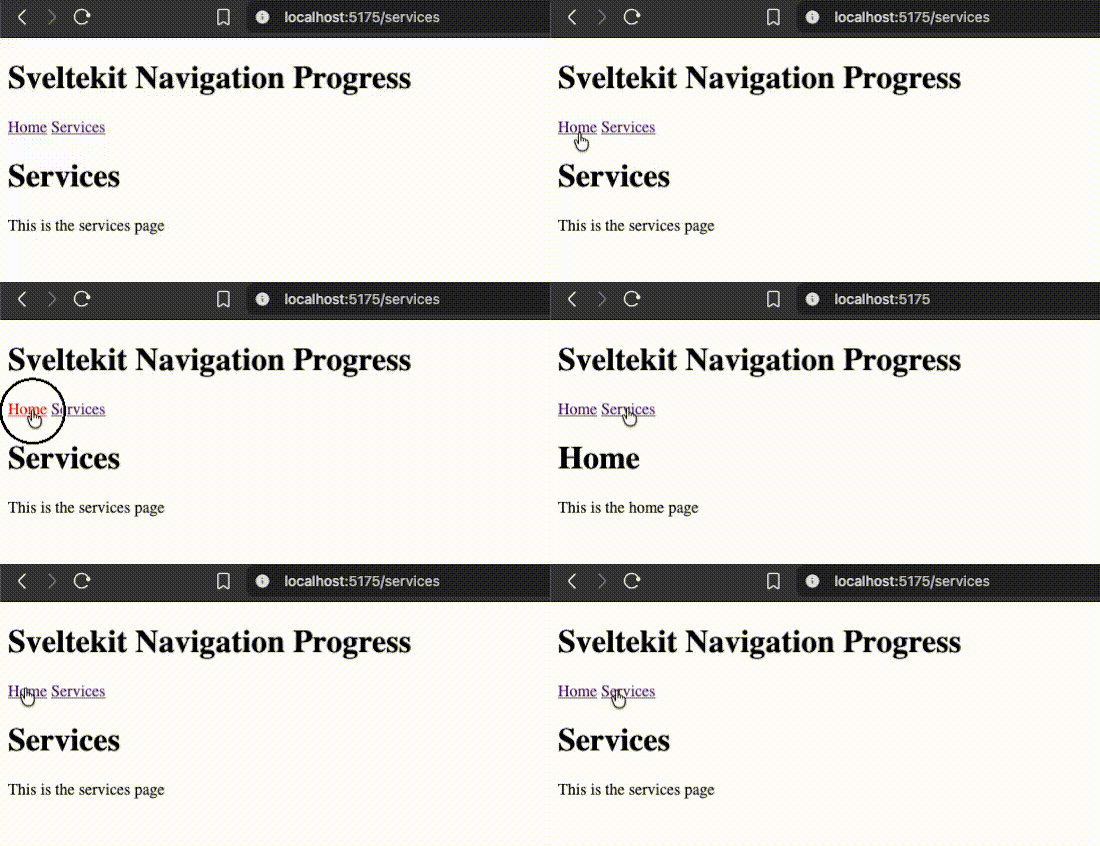
As we can see, since the navigation between the pages is very fast, SvelteKit website feels snappy.
Now let’s simulate a slow-loading page by adding a delay on the /services load function.

export const load = async (event) => {
  // !don't do this on a production website, this is just wasting 2 seconds so we can see the progress
  await new Promise((resolve) => setTimeout(resolve, 2000)); // wait for 2 seconds
  return {};
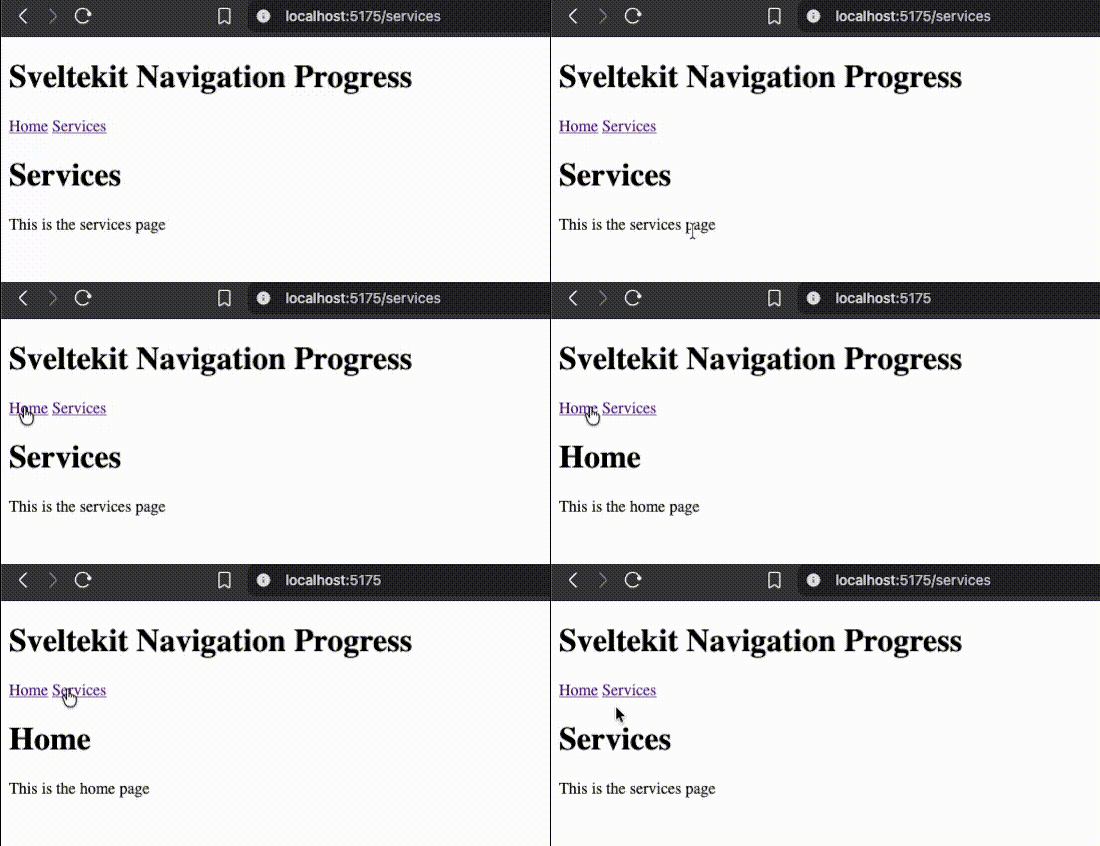
};Now, if you check your browser, going to the home page is instant, while going to the /services page is slow, and there is no feedback given to indicate the page is loading. This is what we are trying to improve; we can’t control the network speed, but we sure as hell can give proper feedback to the user.
The proposed solution
The idea is simple:
- Detect if Sveltekit is currently navigating to a new page.
- If it is, show a progress bar at the top of the page.
- The progress bar will be animated to give a simulated loading effect (fake determinate progress).
- Once the navigation is complete, hide the progress bar.
Detecting navigation state
SvelteKit exposed a state called navigating from $app/state. This state has many properties, but we will only be interested in the navigating.complete property.
The complete property is a promise that fulfills if the navigation succeeds and rejects otherwise. We are not interested in this. We are interested in its other state. If the navigation is not in progress, the complete property is null, so checking the existence of navigating.complete is enough to know if we are navigating or not.
Navigation progress component
Let’s create a new component called NavigationProgress.svelte and use the navigating state to detect if the navigation is in progress or not.
<script>
  import { navigating } from '$app/state';
</script>

{#if navigating.complete}
  <progress value={0}></progress>
{/if}

<!-- Let's give it some basic styles -->
<style>
  progress {
    position: fixed;
    top: 0;
    z-index: 99999;
    left: 0;
    height: 20px; /* give it a big height so we don't miss it, we remove it later */
    border-radius: 0;
    width: 100%;
    appearance: none;
    outline: none; /* firefox has a default outline */
  }
</style>
We use a progress element, which is mounted when the promise navigation.complete is present.
Import the NavigationProgress.svelte component in your root layout src/routes/+layout.svelte.
<script lang="ts">
  import NavigationProgress from '$lib/components/NavigationProgress.svelte';

  let { children } = $props();
</script>

<NavigationProgress />
<header>
  <h1>Sveltekit Navigation Progress</h1>
  <nav>
    <a href="/">Home</a>
    <a href="/services">Services</a>
  </nav>
</header>
{@render children()}
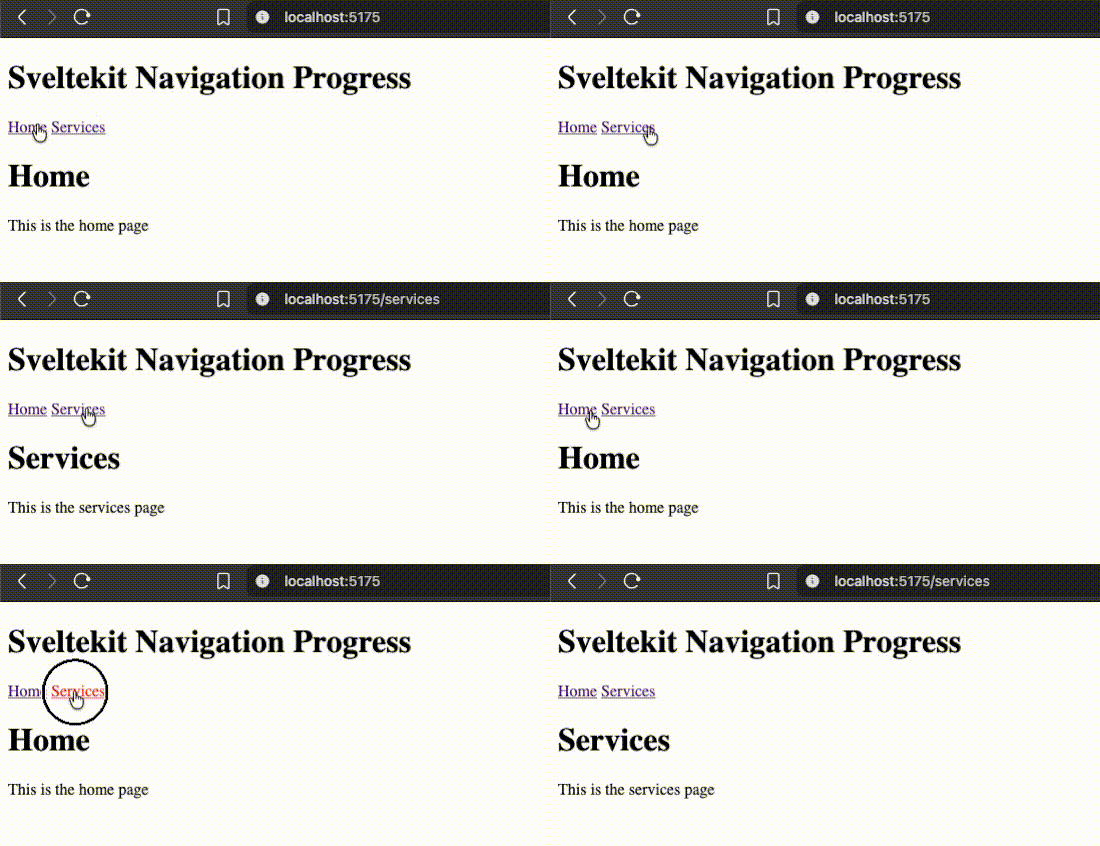
Now, if you check the browser, you will see a giant ugly (for now) gray bar at the top of the page.
Animating the progress bar
The bar stays on gray for the duration because we never updated the value. Let’s add logic to update the value (simulating a deterministic progress)
<script>
  import { navigating } from '$app/state';
  import { cubicOut } from 'svelte/easing';
  import { Tween } from 'svelte/motion';
  import { fade } from 'svelte/transition';

  // We use Tween to animate the  value change.
  const p = new Tween(0, {
    duration: 200,
    easing: cubicOut
  });

  function increase() {
    const progressLeft = 1 - p.current;
    p.set(p.current + progressLeft * 0.04);
    if (p.current > 1) {
      p.set(1);
    }
    if (navigating.complete) {
      setTimeout(increase, 50);
    } else {
      p.set(1); // fill the bar immediately
      setTimeout(() => p.set(0, { duration: 0 }), 50); // schedule it to reset after a small delay
    }
  }

  $effect(() => {
    if (navigating.complete) {
      increase();
    }
  });
</script>

{#if navigating.complete}
  <!-- we use the fade animation from svelte/transition  and use the tween.current for the value -->
  <progress value={p.current} in:fade> </progress>
{/if}

<!-- Let's give it some basic styles -->
<style>
  progress {
    position: fixed;
    top: 0;
    z-index: 99999;
    left: 0;
    height: 20px; /* give it a big height so we don't miss it, we remove it later */
    border-radius: 0;
    width: 100%;
    appearance: none;
    outline: none; /* firefox has a default outline */
  }
</style>
Let’s break down the code:
const p = new Tween(0, {
  duration: 200,
  easing: cubicOut
});
Tween is a utility that helps you animate a value change with the provided easing. We use it instead of a normal state.
function increase() {
  const progressLeft = 1 - p.current;
  p.set(p.current + progressLeft * 0.04);
  if (p.current > 1) {
    p.set(1);
  }
  if (navigating.complete) {
    setTimeout(increase, 50);
  } else {
    p.set(1); // fill the bar immediately
    setTimeout(() => p.set(0, { duration: 0 }), 100); // schedule it to reset after a small delay
  }
}
This recursive function will increase the progress value by a small value relative to the progress left. This makes sure our progress never fills up. It also checks for navigation end, fills the bar, and resets it for the next navigation.
$effect(() => {
  if (navigating.complete) {
    increase();
  }
});
$effect allows us to trigger a side effect whenever the navigating.complete state changes, so we use it to kick start the progress animation.
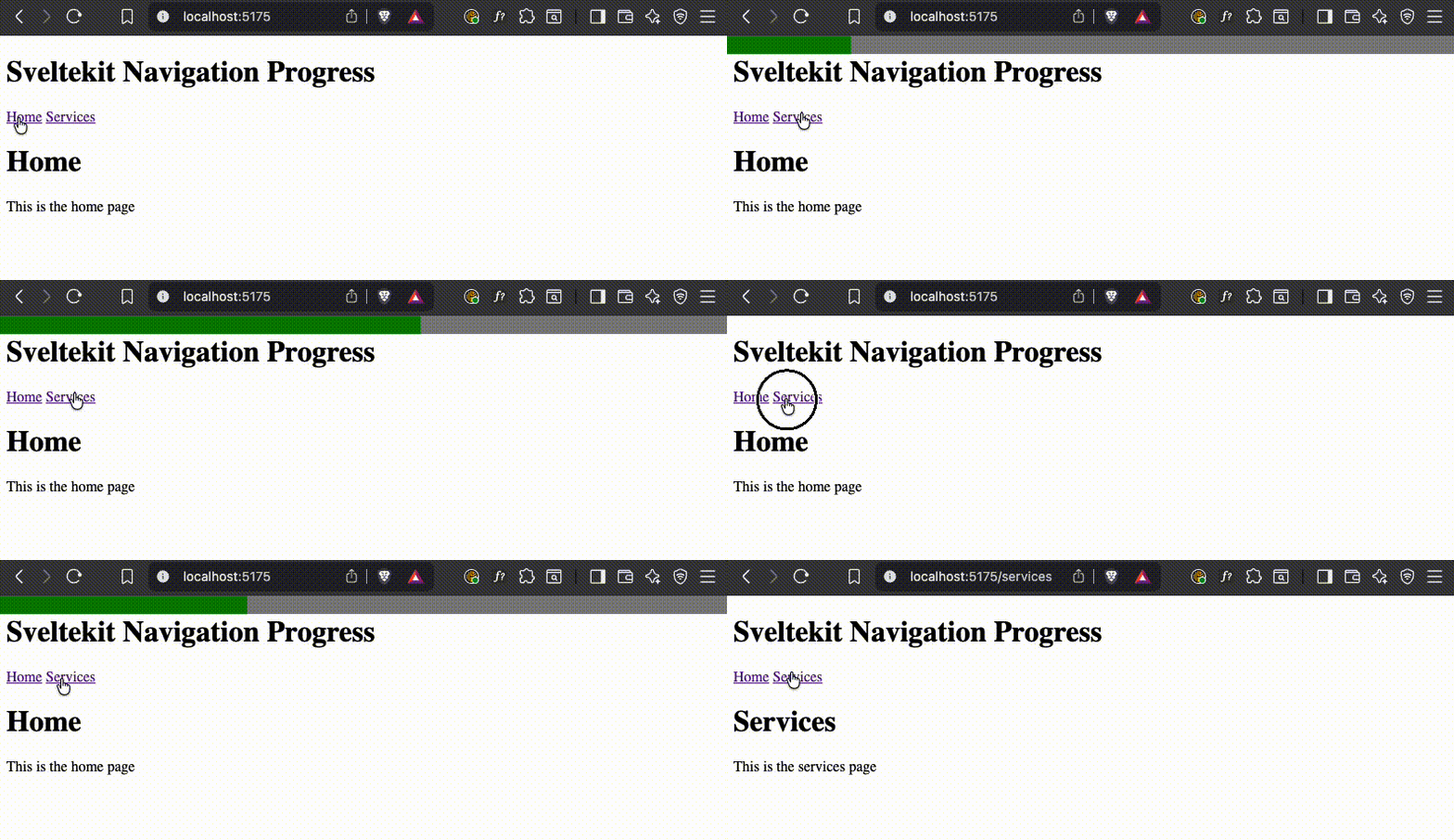
Let’s check the browser again, and you should see a smooth (still ugly) progress bar at the top of the page whenever you navigate between pages.
Improving the styles
Currently, the progress bar takes the browser’s default styles. To change the colors, we need to use some browser specific css properties. To change the fill color, we need to use ::-webkit-progress-value and ::-moz-progress-bar for webkit and firefox respectively, and to change the background color, we need to use ::-webkit-progress-bar and ::-moz-progress-bar for webkit and firefox respectively.
// ... previous code
{#if navigating.complete}
  <!-- we use the fade animation from svelte/transition  and use the tween.current for the value -->
  <!-- we add a duration for the fade> -->
  <progress value={p.current} in:fade={{ duration: 300 }} out:fade={{ duration: 300 }}> </progress>
{/if}

<!-- Let's give it some basic styles -->
<style>
  progress {
    position: fixed;
    top: 0;
    z-index: 99999;
    left: 0;
    height: 4px; /*remove the big height to something reasonable */
    width: 100%;
    appearance: none;
    border: none;
    outline: none; /* firefox has a default outline */
  }
  /* changes the background color of the progress bar for webkit */
  progress::-webkit-progress-bar {
    background-color: transparent;
  }
  /* changes the fill color of the progress bar for webkit */
  progress::-webkit-progress-value {
    background-color: red;
  }

  /* changes the fill color of the progress bar for firefox */
  progress::-moz-progress-bar {
    background-color: red;
  }
</style>
We added a duration to our fade transition, and we added some styles. We removed the bigger height, made the background transparent to get rid of the ugly gray, and we set the fill color to red. You can choose any color you want.
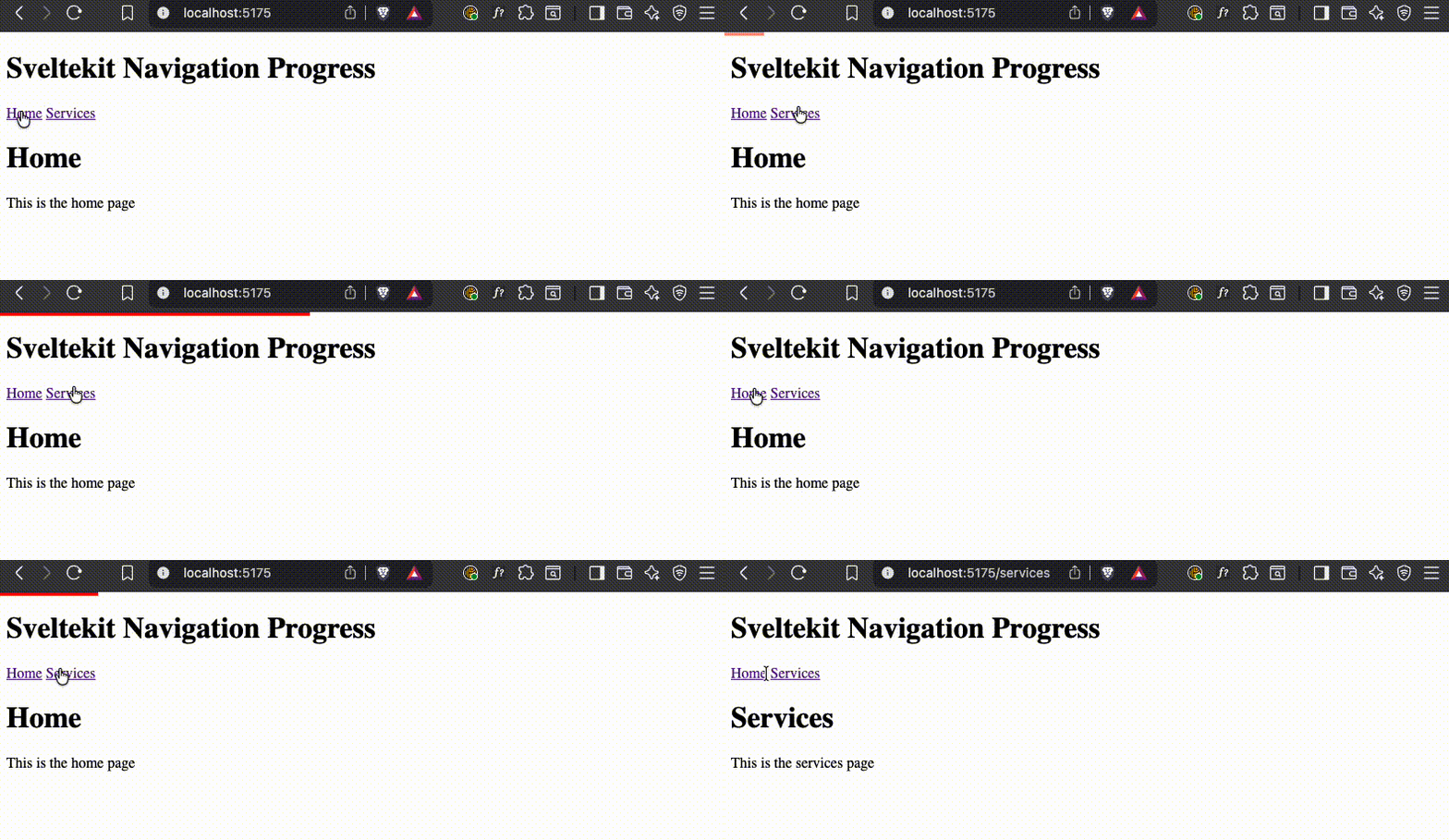
Handling Timer Cleanup and Preventing Overlapping Navigation
Our current implementation looks good, but it is far from perfect. as a rule of thumb, whenever we have recursive calls with setTimeout, or have setInterval, especially when combined with $effect reactivity, and no cleanup in place, we just set the stage for potential memory leaks or infinite re-render loops.
Let’s test if we have more reactivity triggers than we expect by adding a console log inside the $effect just before calling the increase function.
// ... previous code
$effect(() => {
  if (navigating.complete) {
    console.log('calling increase');
    increase();
  }
});
// ... rest of the code
Now if we click to navigate from / to /services, we expect one calling increase log, but if you check the console, you will see multiple logs, which means we are calling increase multiple times, which is not what we want here.
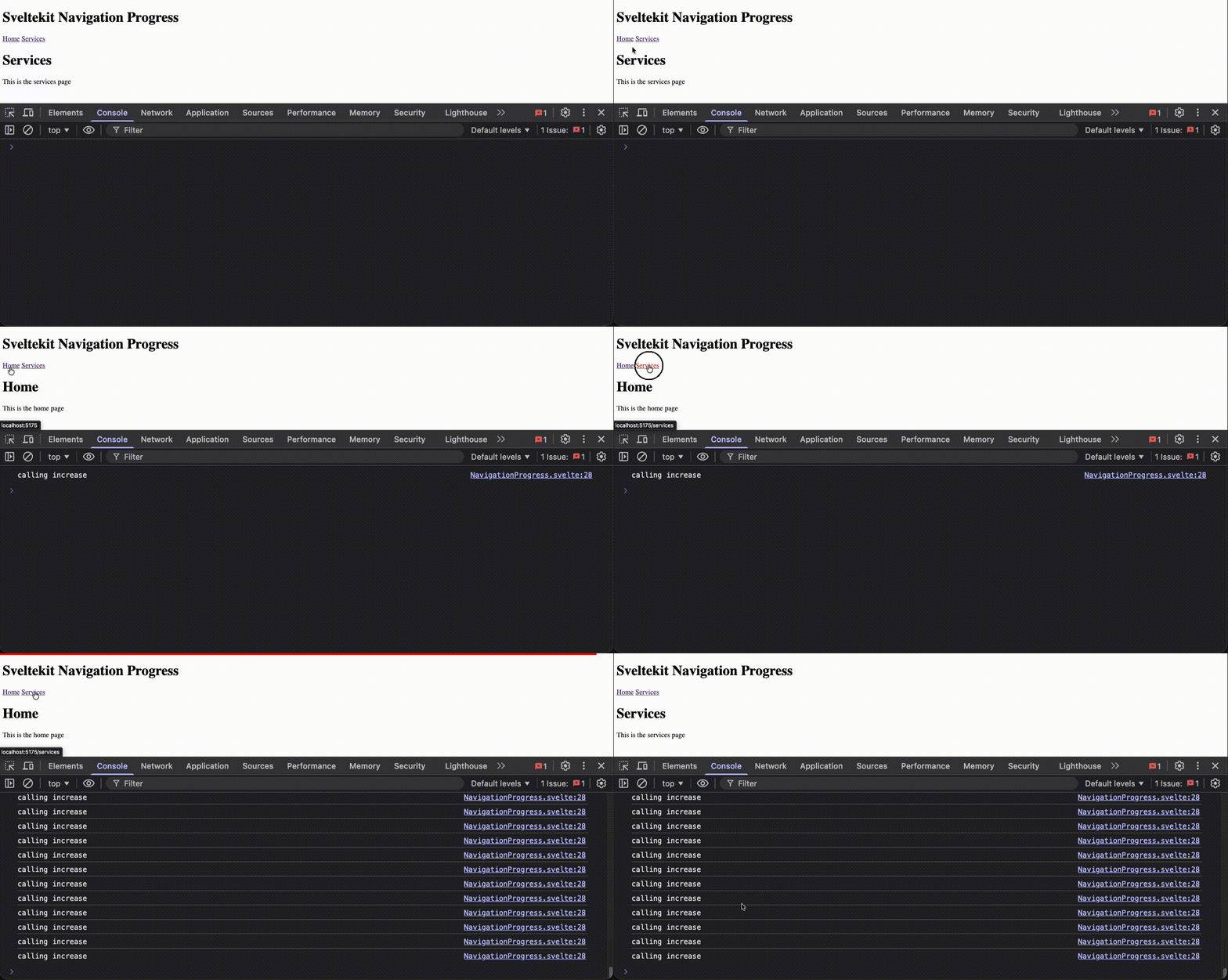
This is happening because our increase function is changing Tween, svelte compiler is tracking the changes in increase, to remidiate this a simple untrack should do the trick.
// rest of imports
import { untrack } from 'svelte';
// ... previous code
$effect(() => {
  if (navigating.complete) {
    console.log('calling increase');
    untrack(() => {
      increase();
    });
  }
});
// ... rest of the code
untrack is a utility that lets you call a function without the $effect tracking it’s changes, very useful for the times where you can;t use $derived / $derived.by and you need to update the state from within $effect.
If you test in the browser, the $effect block only triggers once.
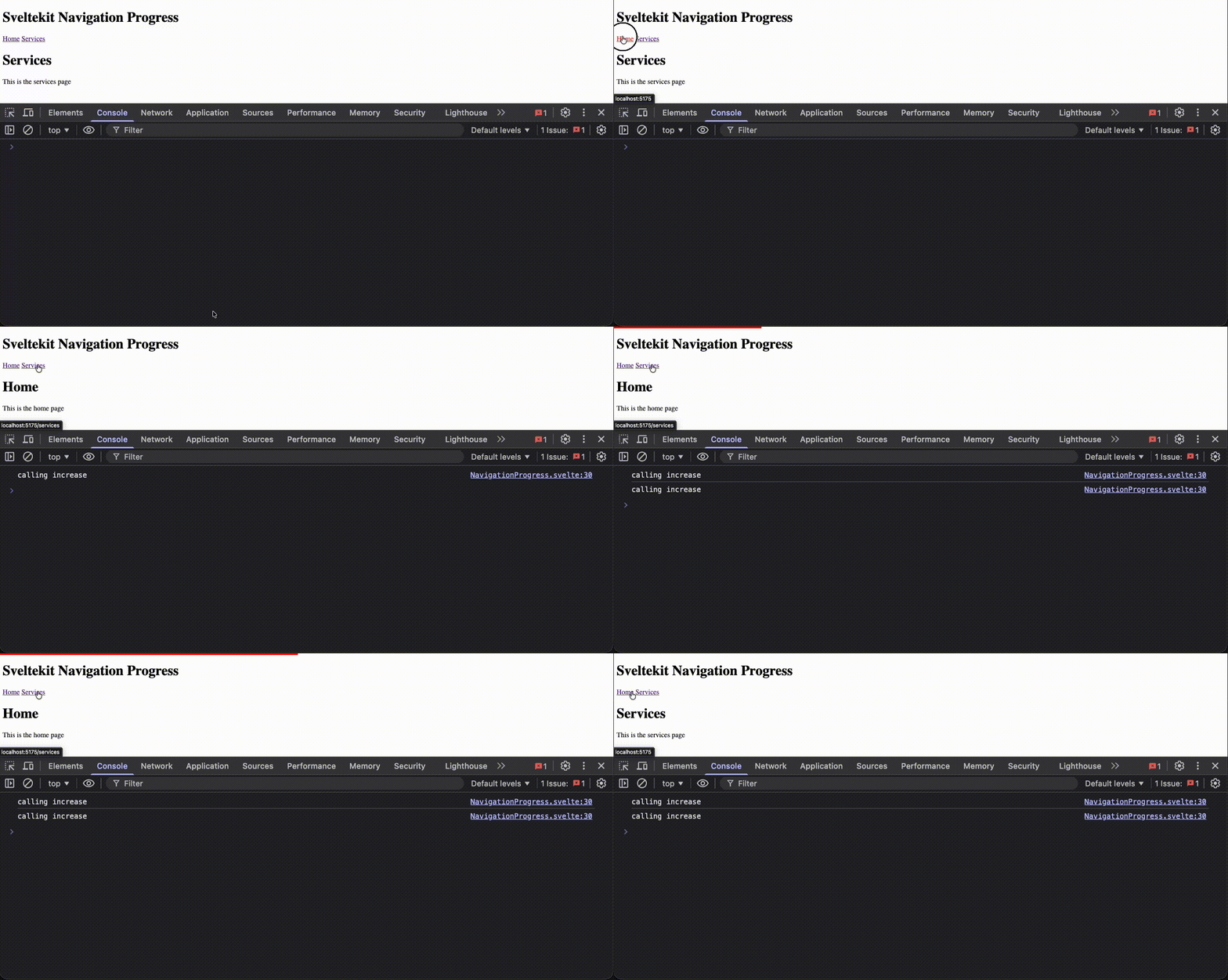
We are still not out of the woods yet, if a timeout is scheduled, and the user initializes a new navigation, the previous timeout will still trigger and will keep calling increase recursively, giving unexpected behavior. to fix this let’s keep track of our timeouts and clear them on new navigation.
<script>
  import { navigating } from '$app/state';
  import { cubicOut } from 'svelte/easing';
  import { Tween } from 'svelte/motion';
  import { fade } from 'svelte/transition';
  import { untrack } from 'svelte';

  // We use Tween to animate the  value change.
  const p = new Tween(0, {
    duration: 200,
    easing: cubicOut
  });

  /**
   * @type {ReturnType<typeof setTimeout> | null}
   */
  let timeout = null; // we use it to track our pending timeouts

  function reset() {
    if (timeout) {
      clearTimeout(timeout);
      timeout = null;
    }
    p.set(0, { duration: 0 });
  }

  function increase() {
    const progressLeft = 1 - p.current;
    p.set(p.current + progressLeft * 0.04);
    if (p.current > 1) {
      p.set(1);
    }
    if (navigating.complete) {
      timeout = setTimeout(increase, 50);
    } else {
      p.set(1);
      timeout = setTimeout(() => p.set(0, { duration: 0 }), 50);
    }
  }

  $effect(() => {
    if (navigating.complete) {
      console.log('calling increase');
      untrack(() => {
        reset();
        increase();
      });
    }
  });
</script>

<!-- rest of the code remains the same -->
Now we are keeping a reference to the pending timeouts, and we clear any pending timeout on new navigation, this will ensure no unexpected increase calls will happen after a navigation ends, and we will not have any memory leaks from pending timeouts.
Making sure the bar always fills up
Currently the bar disappears abruptly and most of the time it does not fill to 100%, this is happening because we are mounting the progress bar when navigating.complete is present, we are not giving enough time to the tween to fill the bar, and enough time for the user to see it.
To fix this, we can introduce a new state isVisible, We will use it to control the visibility of the progress bar, we will set this variable to false after a timeout when the navigation ends.
<script>
  import { navigating } from '$app/state';
  import { cubicOut } from 'svelte/easing';
  import { Tween } from 'svelte/motion';
  import { fade } from 'svelte/transition';
  import { untrack } from 'svelte';

  // We use Tween to animate the  value change.
  const p = new Tween(0, {
    duration: 200,
    easing: cubicOut
  });

  /**
   * @type {ReturnType<typeof setTimeout> | null}
   */
  let timeout = null; // we use it to track our pending timeouts
  let isVisible = $state(false); // we use it to track the visibility of the progress bar
  function reset() {
    if (timeout) {
      clearTimeout(timeout);
      timeout = null;
    }
    p.set(0, { duration: 0 });
  }

  function increase() {
    const progressLeft = 1 - p.current;
    p.set(p.current + progressLeft * 0.04);
    if (p.current > 1) {
      p.set(1);
    }
    if (navigating.complete) {
      timeout = setTimeout(increase, 50);
    } else {
      p.set(1);
      timeout = setTimeout(() => {
        isVisible = false; // we hide the bar after a delay
        p.set(0, { duration: 0 });
      }, 150);
    }
  }

  $effect(() => {
    if (navigating.complete) {
      console.log('calling increase');
      untrack(() => {
        isVisible = true; // we show the bar
        reset();
        increase();
      });
    }
  });
</script>

{#if isVisible}
  <!-- we use the fade animation from svelte/transition  and use the tween.current for the value -->
  <progress value={p.current} in:fade={{ duration: 300 }} out:fade={{ duration: 300 }}> </progress>
{/if}
<!-- Rest of the code unchanged -->
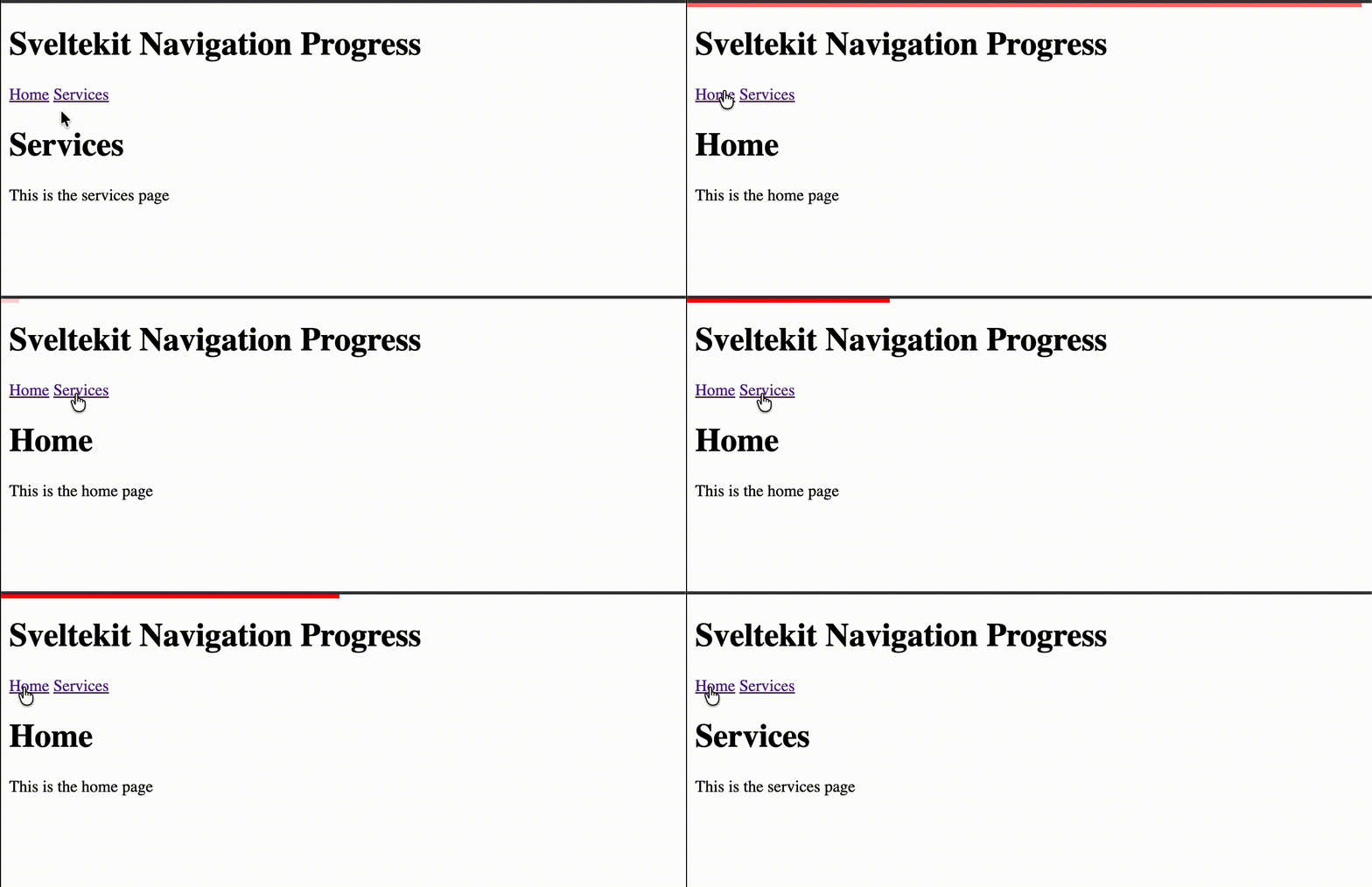
Now the bar should always fill to 100% at the end of the navigation, giving a nicer visual feedback to the user.
Final Code
Here is the final code for the NavigationProgress.svelte component, you can add it to a layout that wraps your website and have a progress bar for every navigation.
<script>
  import { navigating } from '$app/state';
  import { cubicOut } from 'svelte/easing';
  import { Tween } from 'svelte/motion';
  import { fade } from 'svelte/transition';
  import { untrack } from 'svelte';

  // We use Tween to animate the  value change.
  const p = new Tween(0, {
    duration: 200,
    easing: cubicOut
  });

  /**
   * @type {ReturnType<typeof setTimeout> | null}
   */
  let timeout = null; // we use it to track our pending timeouts
  let isVisible = $state(false); // we use it to track the visibility of the progress bar
  function reset() {
    if (timeout) {
      clearTimeout(timeout);
      timeout = null;
    }
    p.set(0, { duration: 0 });
  }

  function increase() {
    const progressLeft = 1 - p.current;
    p.set(p.current + progressLeft * 0.04);
    if (p.current > 1) {
      p.set(1);
    }
    if (navigating.complete) {
      timeout = setTimeout(increase, 50);
    } else {
      p.set(1);
      timeout = setTimeout(() => {
        isVisible = false;
        p.set(0, { duration: 0 });
      }, 150);
    }
  }

  $effect(() => {
    if (navigating.complete) {
      console.log('calling increase');
      untrack(() => {
        isVisible = true;
        reset();
        increase();
      });
    }
  });
</script>

{#if isVisible}
  <!-- we use the fade animation from svelte/transition  and use the tween.current for the value -->
  <progress value={p.current} in:fade={{ duration: 300 }} out:fade={{ duration: 300 }}> </progress>
{/if}

<style>
  progress {
    position: fixed;
    top: 0;
    z-index: 99999;
    left: 0;
    height: 4px;
    width: 100%;
    appearance: none;
    border: none;
    outline: none; /* firefox has a default outline */
  }
  progress::-webkit-progress-bar {
    background-color: transparent;
  }
  progress::-webkit-progress-value {
    background-color: red;
  }
  progress::-moz-progress-bar {
    background-color: red;
  }
</style><script lang="ts">
import NavigationProgress from '$lib/components/NavigationProgress.svelte';
let { children } = $props();
</script>
<NavigationProgress />
<header>
<h1>Sveltekit Navigation Progress</h1>
<nav>
<a href="/">Home</a>
<a href="/services">Services</a>
</nav>
</header>
{@render children()}Conclusion
While working in dev mode locally, we often as devs forget that users will access our website from different places and use all kinds of internet networks/speeds, so we need to always be prepared to show proper feedback when navigating between pages. This progress bar is a simple yet effective way to improve the user experience.
Source and Demo
You can see the demo source code on this GitHub repository
A live Demo is available on this link, But this website has the same progress bar.
Package
If you want to just use this component without making it, I extracted the progress bar component into a package sveltekit-navigation-progressbar.